Building the "Who Am I" section
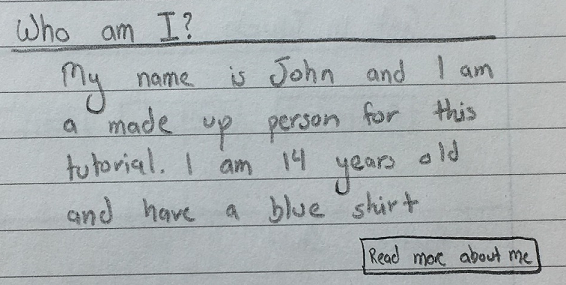
Now that we have our header built, we can start putting in the "meat" of our website, starting with the "Who Am I" section.
This section will give our web site's visitors a glimpse into us and will direct them to the "About Me" page.
Coding the section
- In HTML, different tags indicate different things; and in our site we will be using the
<section>tag to separate out our sections - After the end of the header
divadd in the following code:<!-- WHO AM I SECTION --> <section id="who-am-i"> <h2>Who Am I?</h2> <hr> <p> My name is <strong>John</strong> and I am a made up person for this tutorial. I am 14 years old and have a blue shirt. <a href="" class="btn btn-primary pull-right">Read More About Me</a> </p> </section>
- And just like that, our site should look something like this:
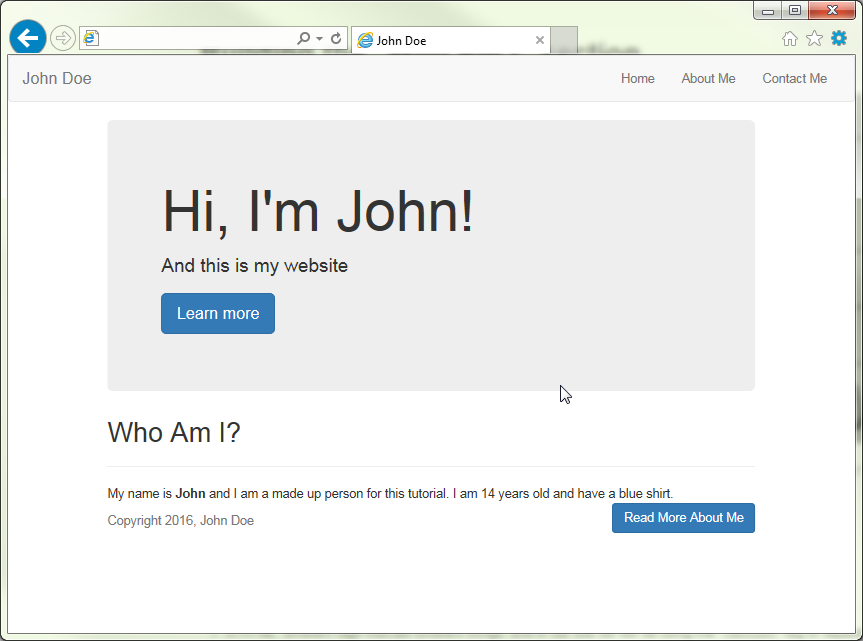
- Hmm, the text seems a bit too spread out
- We will learn how to fix that in the next page.